 GP Locum
Your new locum starter plan
A simple to follow guide with every tax date you need, plus personalised figures for what to set aside for your tax bill for your first two years.
What is in the plan
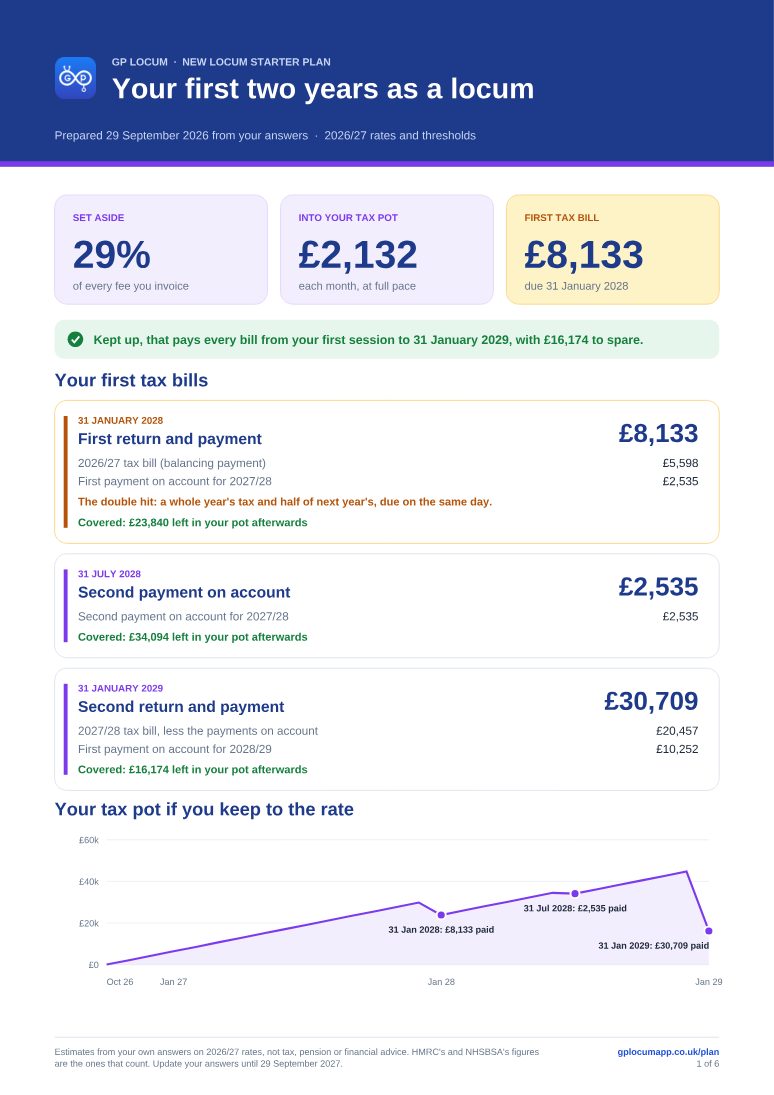
- Your set-aside. The share of every fee to put aside plus the amount to move into your tax pot each month.
- Your first bills dated. Every important date from your first session for the next 2 years, with personalised estimates, including the first January's double hit explained.
- Your tax pot, month by month. What will be in it if you keep to the rate, showing each bill covered.
- Making Tax Digital. When it is likely to apply to you and what it will mean.
- NHS pension. Your estimated tier and monthly contribution and the Form A and B routine with its deadlines.
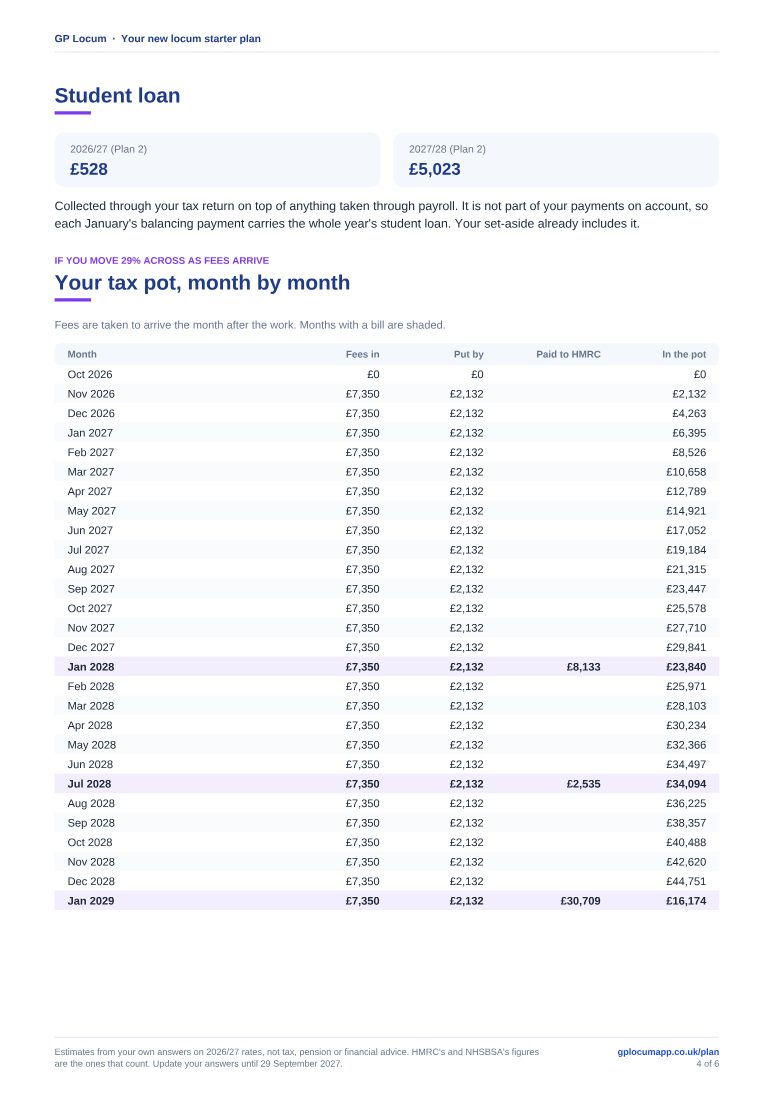
- Student loan. What you are likely to repay through your tax return and why it is not in your payments on account.
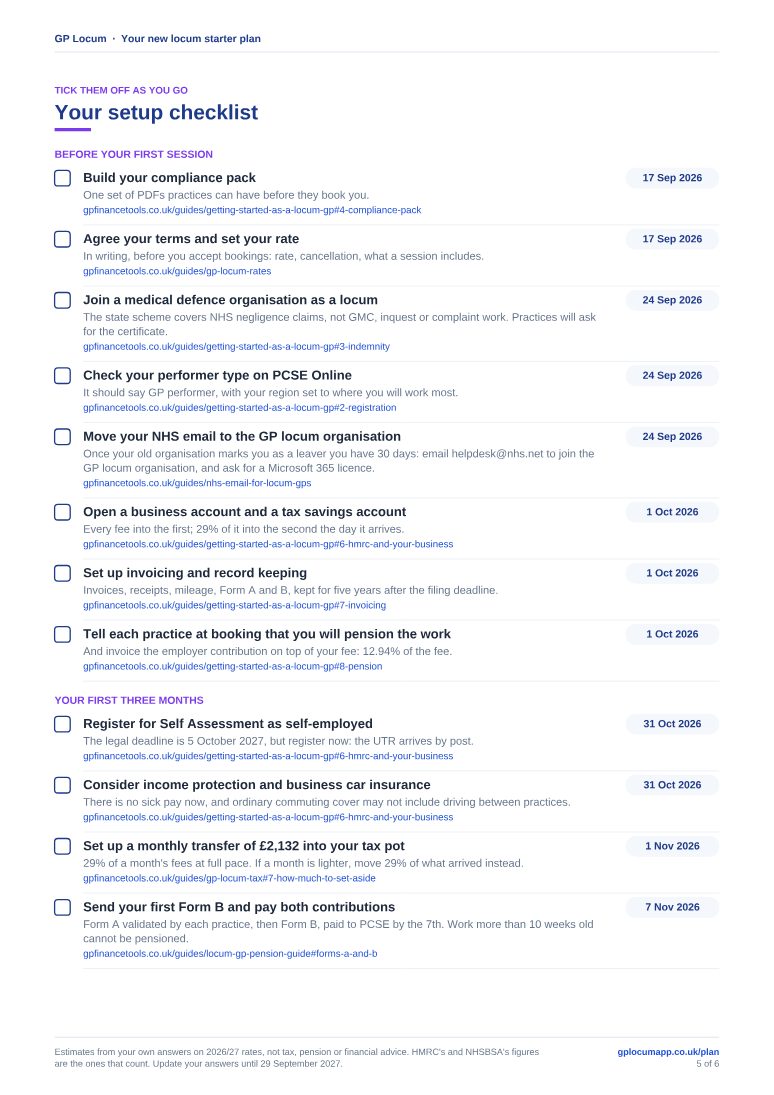
- A dated setup checklist. Every step required, with relevant dates, each linked to a gpfinancetools.co.uk guide. Tick them off as you go.
- Calendar and PDF. Add every date to your own calendar (amounts owed left out unless you want them) plus the whole plan as a PDF.
- Reminder emails. A reminder before each deadline, a monthly set-aside nudge if you want one, and check-ins at three and six months.
- Updates whenever you need them. Change your answers any time and everything is worked out again. Log your work in GP Locum and it can use what you have actually been paid.
Free with a GP Locum account
With 90 days of GP Locum Pro free, from your first day of locum work. On the app and the website. See what Pro includes
Starting in the next six months? Your 90 days count from your start date, so Pro is there for your first pension forms and tax set-aside. Already started? They count from when you sign up. No card needed, and nothing to cancel.
You will be asked a few questions about how you will work once you are signed in. Your whole plan opens straight away.
Yours to keep
The whole plan as a PDF
A clear summary on the first page: what to set aside, what goes into your tax pot each month, and your first three tax bills with the pot shown covering each one.
- Both tax years worked through
- A timeline of every date with the first January flagged
- Your tax pot month by month
- Your pension, Making Tax Digital and student loan figures
- A setup checklist to print and tick off in pen
Pages from a sample plan: October start, Plan 2 loan, pensioning.
Free for your first 90 days
GP Locum Pro, on your phone and the website
Log your sessions as you work and GP Locum does the paperwork that follows. Your plan can then use what you have actually been paid instead of the estimate.
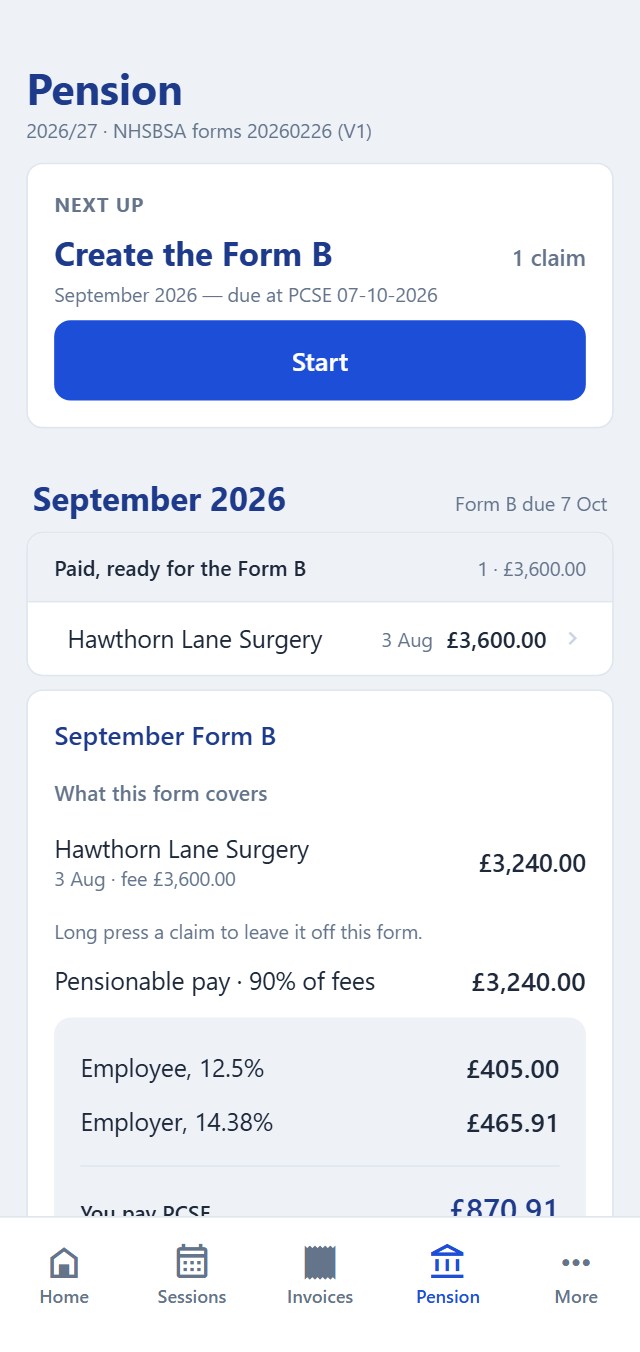
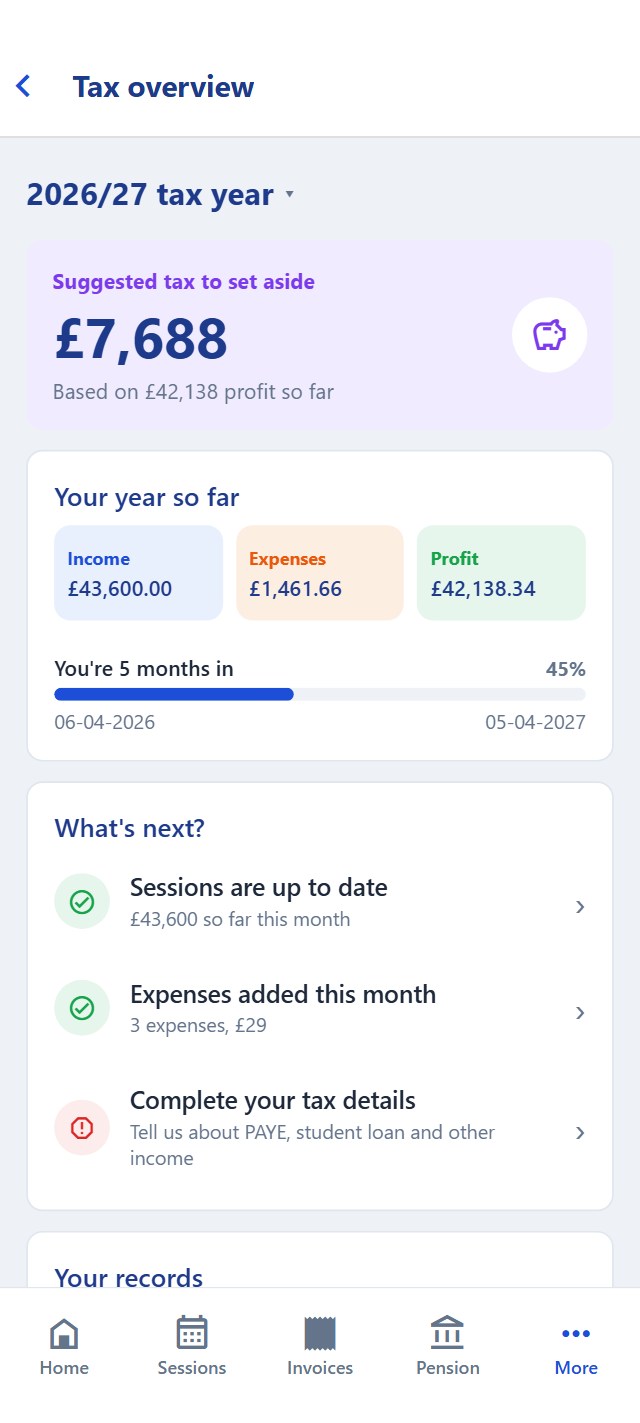
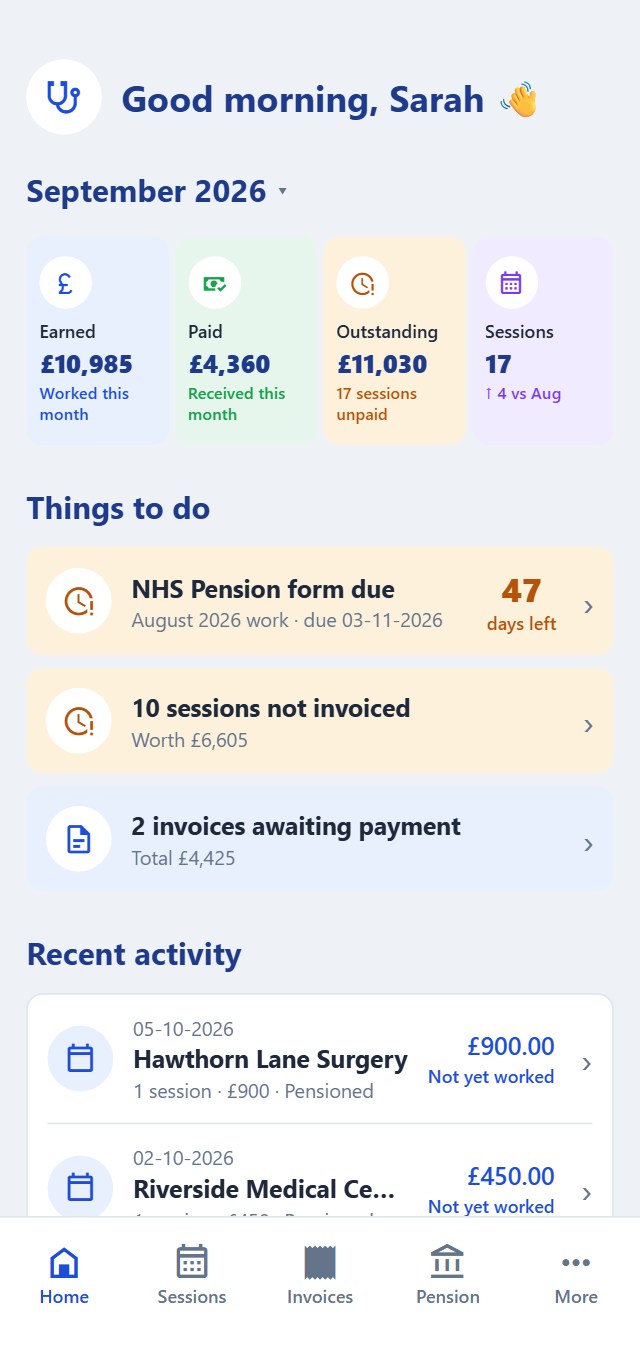
Also in Pro: Making Tax Digital quarterly updates and automatic road distances for your mileage log. Your diary, invoices, expenses, mileage log and statements are free in GP Locum. No card needed for the 90 days, so nothing renews.
Free: the whole plan, and 90 days of GP Locum Pro from your first day of locum work.
Estimates from your own answers on 2026/27 rates, not tax, pension or financial advice. HMRC and NHSBSA figures are the ones that count.